Your Telegram, as a media library.
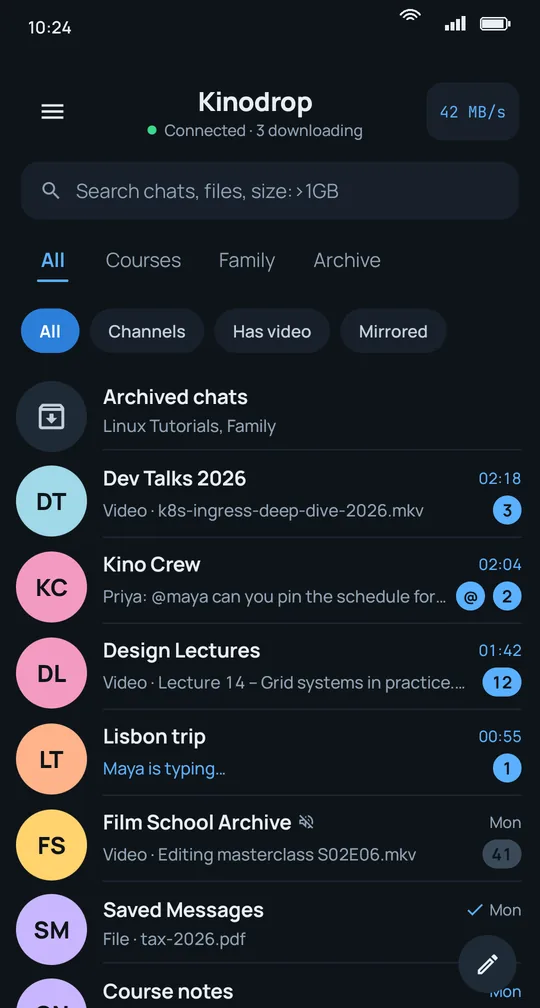
Kinodrop streams, downloads and organises the films, series and files in the channels you already follow. Press play before the download finishes, keep a queue that survives the night, and find any file by name, quality or size.
Everything a channel full of videos needs
Telegram is great at sending files. Kinodrop is built for watching, keeping and finding them.
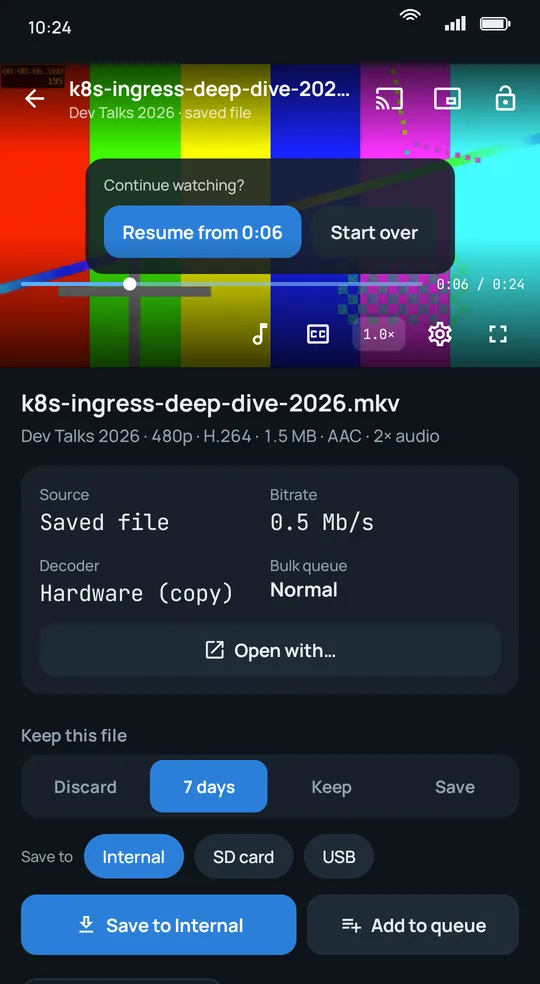
Play before it downloads
Start any video instantly and seek anywhere. Kinodrop fetches the part you are watching first.
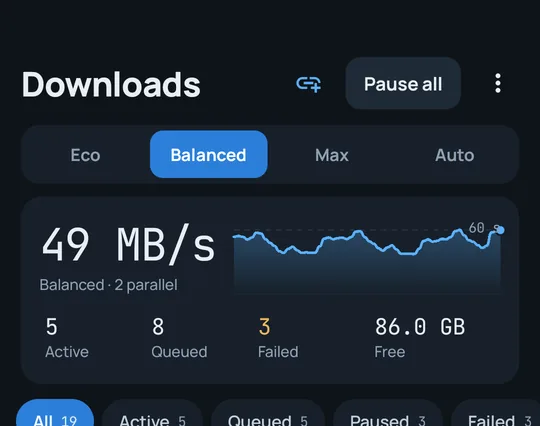
MKV · MP4 · HEVC · up to 2160pA real download manager
Queue whole channels, choose how hard to push, and let it run with the screen off. Downloads resume after a restart.
Eco · Balanced · Max · AutoA library that reads release names
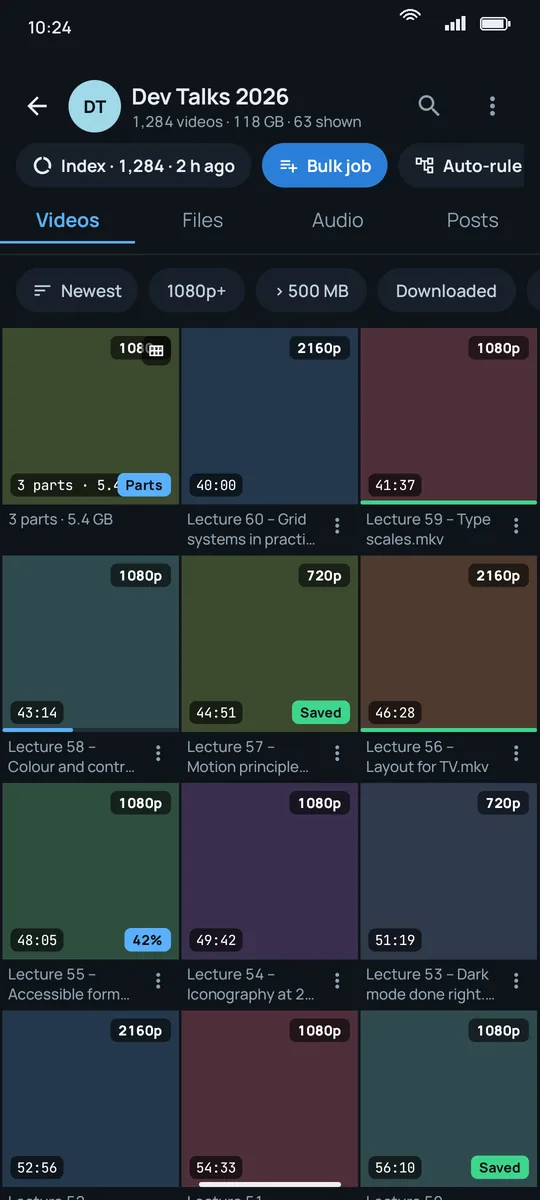
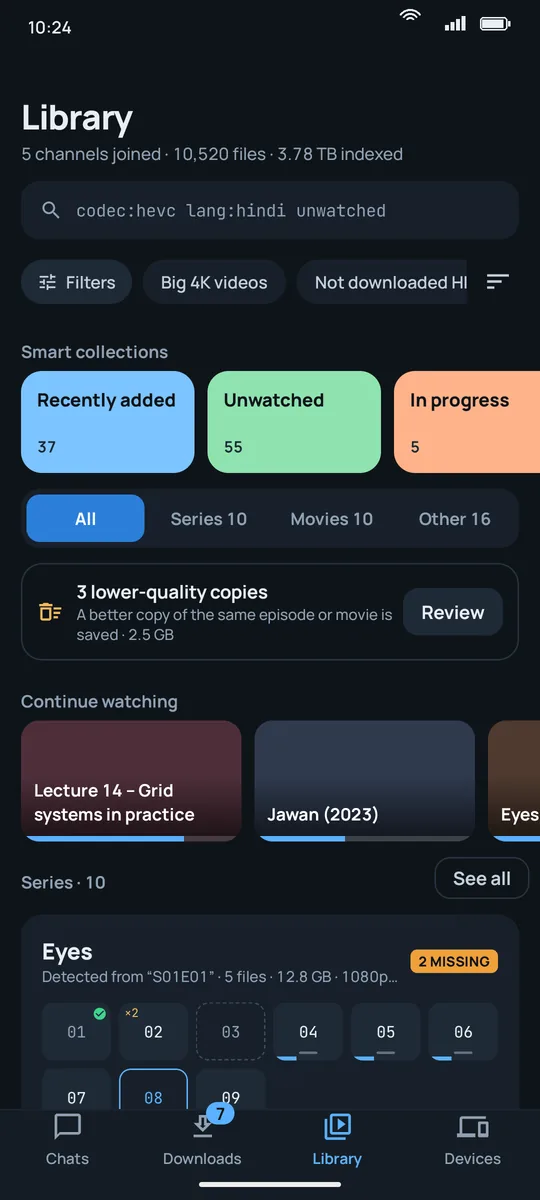
Films and series are recognised from file names, grouped by season, and flagged when a better copy exists.
Eyes.S01E04.1080p → Eyes · S1 E4 · HDSearch every channel at once
Find files across all your chats, then narrow by type, size, quality or year. Public channels show up too.
quality:1080p size:>1GB year:2019A player that plays everything
Hardware decoding, every audio and subtitle track, gestures, picture-in-picture, resume and next episode.
mpv engine · 0.5×–2× · A–B loopSplit files, played as one
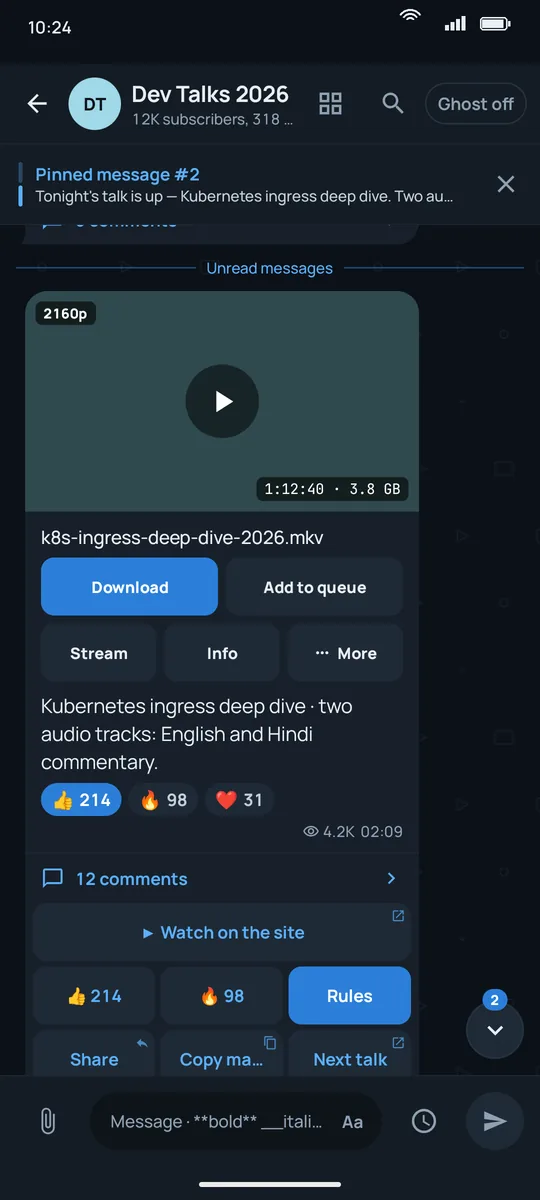
Films uploaded in pieces are grouped into one tile. Play all parts in order, or join them after downloading.
.001 .002 .003 → one filmPhoto backup to your Telegram
Back up your camera roll to your Saved Messages or a private channel. Originals, no duplicates, Wi-Fi only if you like.
Camera · Screenshots · WhatsAppSave straight to your NAS
Send finished downloads to a network share at home, or keep them on the phone, an SD card or a USB drive.
SMB · WebDAV · SFTP · FTPProMade for the files you actually have
Fast when you want it, gentle when you don't
Pick a mode once and Kinodrop sizes the work to your connection and battery.
- Keeps going with the screen off, and picks up again after a reboot.
- Checks every finished file before moving it where you asked.
- Leaves room for the video you are watching right now.
- Direct web links download over several connections at once.
The big screen, with a remote that just works
- Sign in on the TV by scanning a QR code with Telegram on your phone.
- Rows for Continue watching, new videos, films, series and downloads.
- Continue watching appears on the Android TV home screen.
- Cast from your phone to any Chromecast. It keeps playing with the phone's screen off.
Your account, your data, the channel's choices
Official Telegram library
Kinodrop signs in with TDLib, the same library Telegram provides to developers. Your messages travel between your phone and Telegram only.
No Kinodrop servers
Your library, queue, search index and settings live on your phone. We never see your number, chats or files.
Protected channels stay protected
When a channel restricts saving, you can stream and keep videos offline inside Kinodrop, but not export or share them.
Free to use. Pro when you want more.
Try every Pro feature free for one day, no payment needed. Monthly, yearly and lifetime plans are priced in your currency in Google Play.
Free
- Streaming, downloads, library and search
- The full player, Chromecast and Android TV
- Photo backup and settings sync
- Phone, SD card and USB storage
- Ads in lists and between screens
- 2 connections per direct link, 200 files per bulk job
Pro
- No ads anywhere
- Save straight to your NAS (SMB, WebDAV, SFTP, FTP)
- Up to 8 connections per direct link
- Bulk jobs with no file limit
- Teal, Violet, Amber and Rose accents, and AMOLED black
- Restore on any phone with the same Google account
Before you install
Do I need a Telegram account?
Yes. Kinodrop is a Telegram app: you sign in with your own account, or create one from the sign-in screen. Playing a video file from your phone with "Open with Kinodrop" works without signing in.
Why can't I save videos from some channels?
Those channels have Telegram's "Restrict saving content" turned on. Kinodrop respects it: you can stream the video and keep it offline inside Kinodrop, but not save or share it.
Is Kinodrop made by Telegram?
No. Kinodrop is an independent app that uses Telegram's public API. It is not affiliated with or endorsed by Telegram.
Where is my data?
On your phone and in your own Telegram account. Read the privacy policy for the details.
More answers on the support page.